

Electronic Team uses cookies to personalize your experience on our website. By continuing to use this site, you agree to our cookie policy. Click here to learn more.

Remote USB Unlock - Technician Guide

Editorial Team Editorial Team May 6, 2026
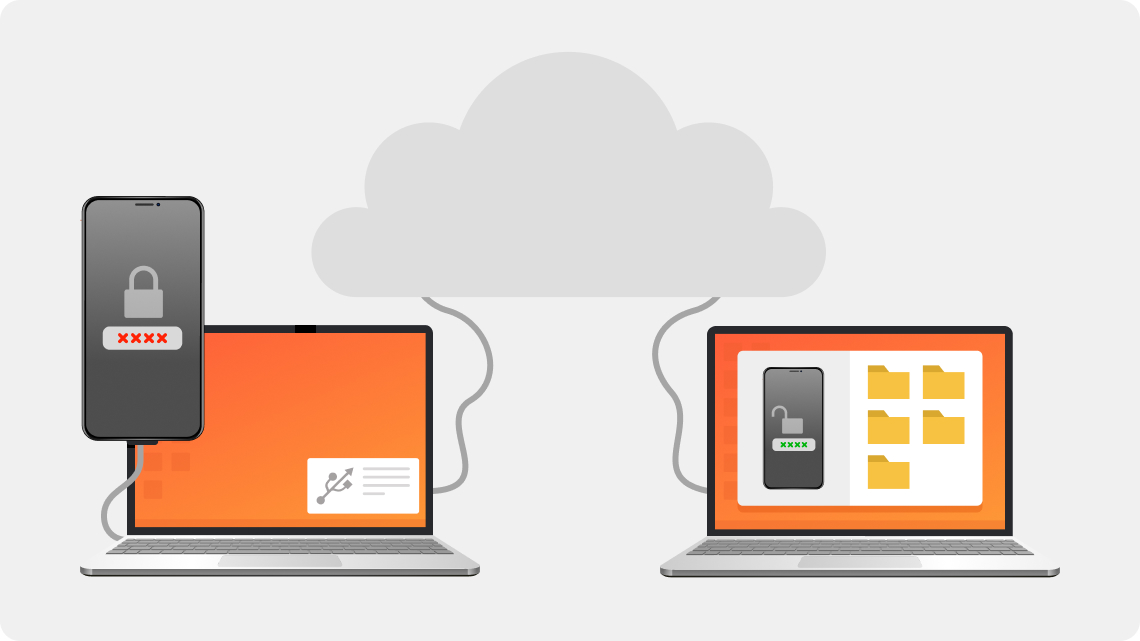
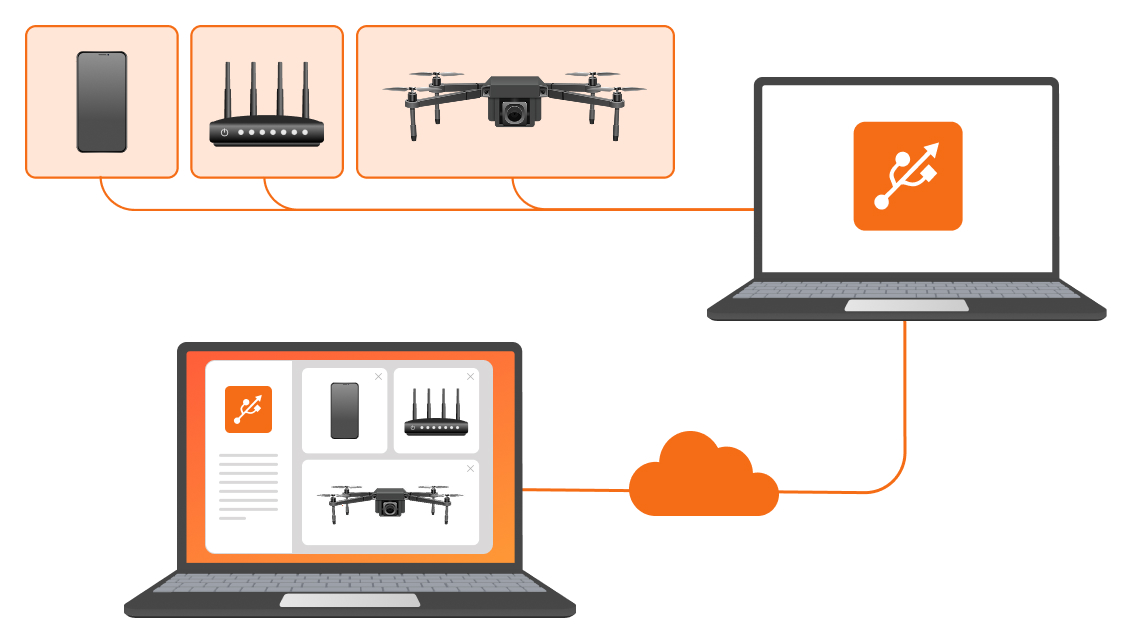
Remote USB unlocking is a technique for accessing and repairing USB-connected devices over the internet. Technicians can perform tasks such as unlocking or flashing phones, modems, or drones using specialized USB redirection software such as USB Network Gate. The solution requires a reliable network connection, software such as HelpWire for remote desktop control, and a USB-connected device in download mode.

How Remote USB Unlocking Works

Remote USB unlocking relies on USB Network Gate to connect to USB devices attached to a network-connected computer. IT teams typically use the software to install firmware updates, program, and investigate end-user issues. USB Network Gate includes a free, customizable customer module necessary for establishing remote connectivity. Remote USB unlocking
Remote USB Unlock
Free version available

Essential Elements of Remote USB Unlocking for Technicians

Teams need the following elements to implement remote USB unlock.

  • Software: The technician uses USB Network Gate, or a similar tool, to redirect USB traffic over the network. Customers run the free client app included with USB Network Gate.

  • Establishing connectivity: The customer runs the client app, enters the technician’s credentials, and physically connects the USB device to their machine. The remote technician connects to the device over the network.

  • Full functionality: After establishing the remote connection to the USB device, the technician has full control and can perform tasks with the same functionality as a direct physical connection.

  • Data security: The technician requires a license to encrypt data for secure transmission over the network.

  • Network constraints: USB Network Gate works seamlessly on a LAN, but may require TCP port forwarding on a router for remote support over the internet.

Common Use Cases

Common Use Cases

Teams use remote USB unlocking for a variety of purposes, including:

  • Performing remote repairs on devices such as Android phones, drones, and CNC controllers;

  • Accessing USB devices from remote virtual environments for use with VMs;

  • Unlocking USB devices for programming, flashing, and bypassing security.

Users can employ the following software alternatives rather than USB Network Gate.

  1. FlexiHub offers similar remote USB and serial device management capabilities.

  2. USB Redirector Technician Edition from IncentivesPro is a popular solution for sharing USB devices over Ethernet.

USB Network Gate Licensing for Technicians

Remote USB unlock for technicians with the help of USB Network Gate requires a license. The app offers one-time payment options or free access to one device. The client module is free to download.

Pricing Options

You can request a free license if you need to work with a single device. But if you need more, take a look at paid options. At just $159, you will get remote access to 10 devices. Other options are available at custom pricing.

System Requirements for Remote USB Unlock

  • Windows 7 SP1/8/8.1/10/11; Windows Server 2008 R2/2012/2012 R2/2016/2019/2022/2025. Architectures: x86, x64, ARM64
  • macOS 10.15 and later, Optimized for both Apple silicon and Intel
  • Linux RPM-based: CentOS Stream 9+, Fedora 36+
  • Linux DEB-based: Ubuntu 16.04+, Debian 10+, Linux Mint 20.1+
  • ARM: Raspberry Pi 3/4 & Zero 2 W and ARM development boards (ARMv7 and ARM64)
logo USB Network Gate
#1 at Networking
USB Network Gate
Share USB over Ethernet on Windows
4.7 rank based on 372 + users