Electronic Team uses cookies to personalize your experience on our website. By continuing to use this site, you agree to our cookie policy. Click here to learn more.

VirtualBox USB Passthrough Guide

Editorial Team Editorial Team
Feb 11, 2026

VirtualBox provides users the ability to transfer data between their guest virtual machines (VMs) and USB peripherals through USB passthrough functionality. In this guide, we will walk you through enabling USB in VirtualBox so that you can use your local USB devices within the VM, giving you the same functionality as a direct connection. Additionally, we'll explore how USB passthrough works across different operating systems and how to access USB in a virtual machine, particularly in remote VirtualBox environments.

14-day Free Trial available
License price starts at $159.95
Available for
VirtualBox iPhone redirection

Changes in VirtualBox 7.x

A major change in VirtualBox 7.x concerns native USB controller support. Previous versions of VirtualBox required users to install the Oracle Extension Pack to use USB 2.0 (EHCI) and USB 3.0 (xHCI) controllers. Native support was limited to USB 1.1. The Extension Pack was required to use USB 2.0/3.0 controllers and the peripherals attached to them.

Starting with version 7.0.0, support for EHCI (USB 2.0) and xHCI (USB 3.0) controllers was added into the base VirtualBox package. Users can configure USB 2.0/3.0 passthrough right out of the box without installing the Extension Pack.

The Extension Pack is still useful for its advanced features, which include:

  • VRDP (VirtualBox Remote Desktop Protocol)
  • Cloud integration
  • Passthrough for host webcams
  • Disk encryption for enhanced security
  • PXE boot ROM

Support for the ARM architecture was added in VirtualBox version 7.2, allowing users to run VirtualBox VMs on ARM-based Windows devices and Apple M-Series Macs.

How to Access Local USB Devices in VirtualBox

VirtualBox USB passthrough enables a guest VM to access USB devices connected to the host computer, but requires some manual configuration. The following steps illustrate how to configure USB passthrough in VirtualBox 7.x.
1
Power off the VM to completely shut it down. You cannot simply pause or save the VM because USB controller settings can only be changed when the virtual machine is not running.
2
Enable USB support and select the controller:

  • Select the VM in VirtualBox Manager.
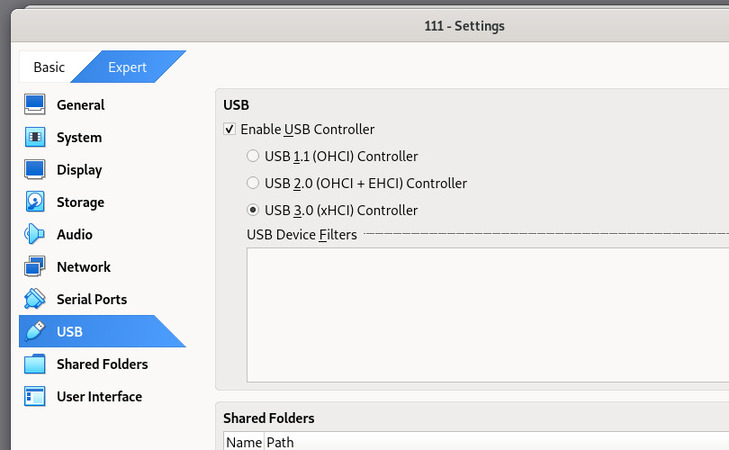
  • In Settings> USB, check the Enable USB Controller box.
  • Choose the correct controller for your system:

    • USB 3.0 (xHCI) for the majority of modern guest operating systems;
    • USB 2.0 (EHCI) if the guestOS does not offer xHCI support;
    • USB 1.1 (OHCI) for legacy systems. You may need to install third-party drivers inside the guest VM to use xHCI.
 USB controller selection under individual VM settings
3
Add a USB device filter so that VirtualBox automatically captures the device when it connects to the host.

  • Go to Settings > USB, click Add Filter (+), and choose the USB device.
4
Attach the USB device with the following steps to avoid busy or locked SB devices.

  • Unplug the USB device from the host computer.
  • Start the virtual machine and allow the OS to complete boot.
  • Plug the device into the host. The peripheral will be captured by the guest OS and be logically disconnected from the host. Don’t use a storage device currently in use or mounted on the host.
5
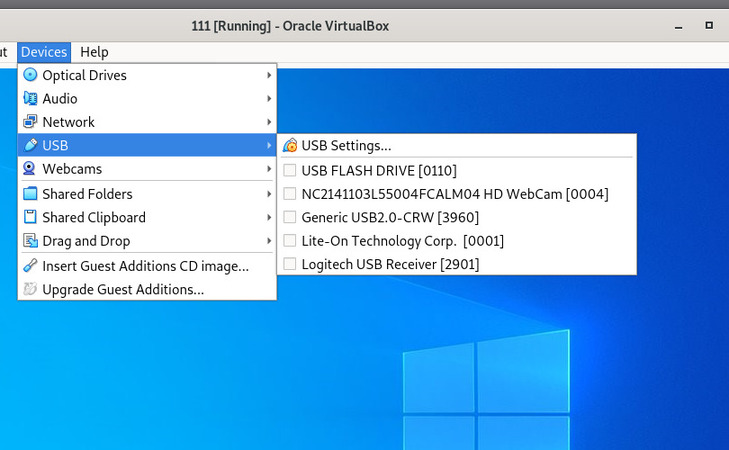
Manually attach the USB device if it is not automatically captured by the VM by going to Devices > USB and choosing the device you want to connect to the VM.
 USB device selection for an actively running virtual machine

OS Host Notes

You may encounter these OS-specific failure points.

  • macOS may interfere with VirtualBox’s system software or extensions. Resolve this issue by providing VirtualBox with the required permissions in System Preferences > Privacy & Security.
  • Linux hosts may also experience connectivity problems related to user permissions. The issue can be resolved by adding the user to the vboxusers group using the sudo adduser [username] vboxusers command, then restarting the system.

USB Network Gate

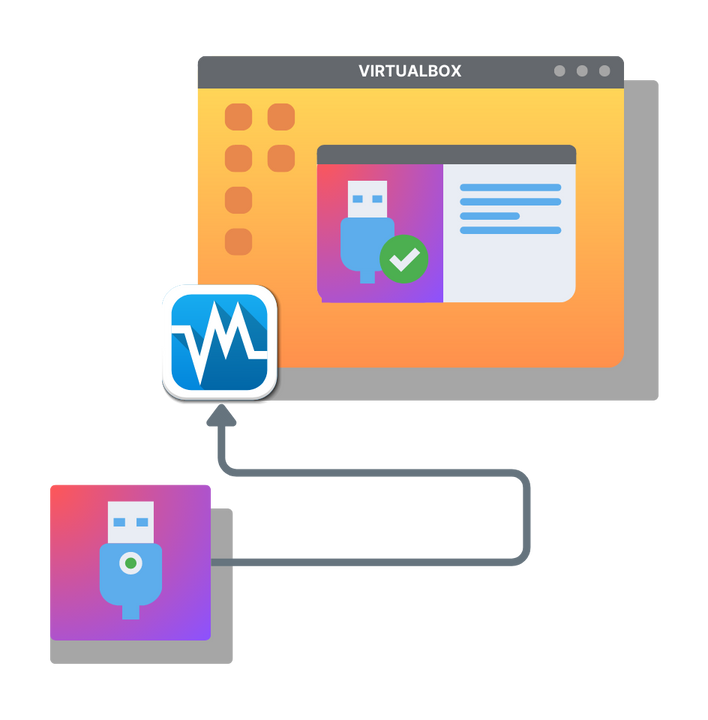
Do you want to use your USB device on a remote VRDP virtual machine? Or is it an exotic device, such as a 3D sculpting mouse, that VirtualBox USB extensions don’t support? In either case, USB Network Gate is the solution for you. It’s a utility that allows any USB device connected to one machine to be shared to another on the same network, and this includes VMs.

VirtualBox USB passthrough with USB Network Gate

In addition to supporting a variety of hardware - printers, webcams, and dongles - connections created by USB Network Gate allow for a lot of security, with options for encryption, password protection, and automatic disconnect. It also works through NAT. USB Network Gate is both versatile and easy to use, never requiring complicated setup to access any of its features. A Free Trial is available to let you experiment and decide before buying.

Easy VirtualBox USB Passthrough
14-day free trial

How to Use USB Network Gate

 video guide
1
Start a VirtualBox session and connect to it over RDP.
2
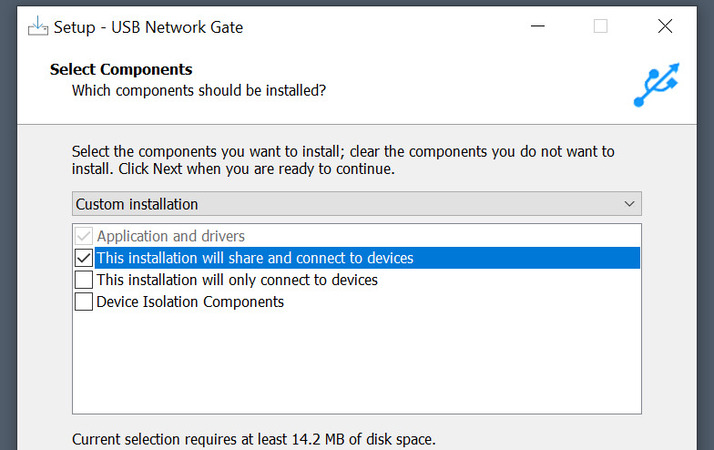
Download and install USB Network Gate on both the virtual machine and your computer. The client on the virtual machine can be installed with the connection-only option, while the local computer should be able to share devices.
 USB Network Gate installation settings - a complete install is selected for the host
3
Activate USB Network Gate on the local computer. This is also where you can use the temporary code from the Free Trial.
4
In USB Network Gate on the virtual machine, select Connected devices > Add Server, and type in the IP address of the local computer, which can be found with ipconfig.
5
On your computer, press “Share” next to the device you want to access in the virtual machine.
6
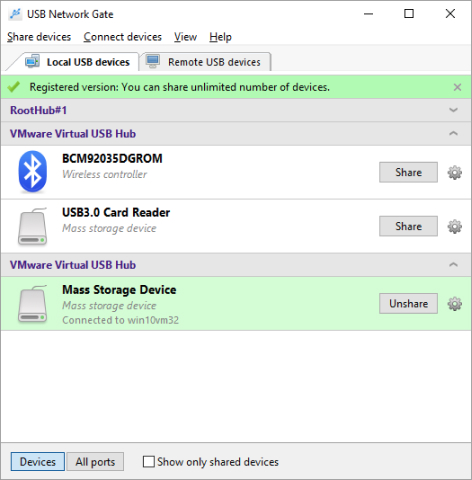
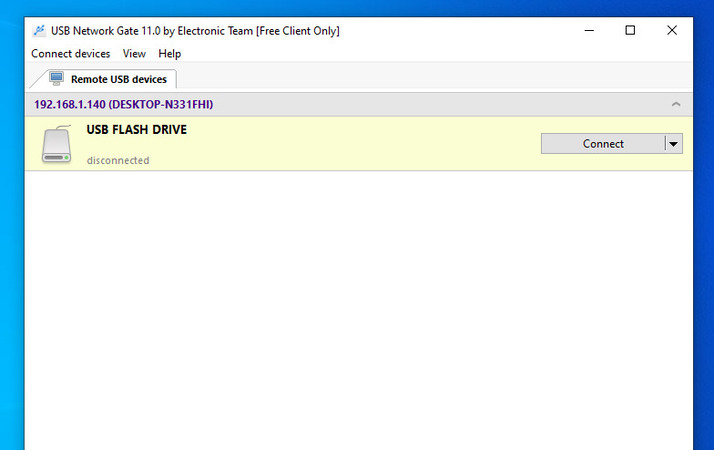
The device should appear in the VM USB Network Gate client, where you can click “Connect” to start using it.
 The USB flash drive detected on the client USB Network Gate installation

The hardware that this app can redirect ranges from storage devices to iPhones, and with full cross-platform support, users can enjoy USB Network Gate on Windows, macOS, Linux, and even ARM platforms.

FAQ

Mostly, you need to verify that the Extension Pack is present and its version is compatible with the version of your VirtualBox. Uninstall your current pack from the extension manager if necessary.
In some cases, such as with many RDP clients or some devices, VirtualBox is incapable of redirecting them to the virtual machine. One of the methods you could try is USB Network Gate.
USB Network Gate
Redirect USB devices over network
14-day Free Trial available
License price starts at $159.95
Available for